
JetX App Kenya: Safe Download and Mobile Play Guide
Looking for the JetX App in Kenya? This guide explains the safe ways to open JetX on Android and iPhone, whether you use a verified operator app, a mobile browser or an iPhone Home Screen shortcut.
The important detail is that JetX is a SmartSoft game, while your account, download and payments are normally provided by a gambling operator. That means there is no single APK, version number or device requirement that applies to every Kenyan player.
Below you can compare mobile options, follow safer installation steps, check M-Pesa details and recognise fake JetX predictor apps before they reach your phone.
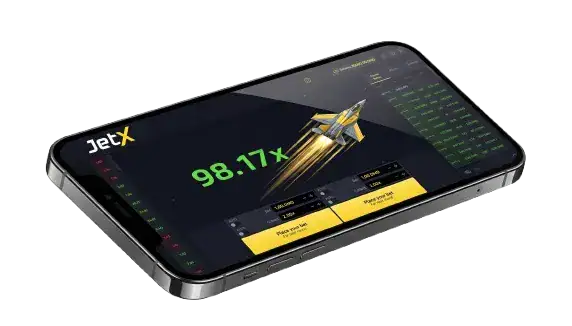
JetX App: Quick Facts for Kenya
Use these facts as a starting point, then confirm the current requirements on the licensed operator’s official website before downloading or depositing.
| Feature | What Kenyan Players Should Know |
| Mobile access | Mobile browser, verified operator app or supported web app |
| Game developer | SmartSoft |
| Game size | The current JetX build is listed as 3.9 MB; a full operator app may be larger |
| Operating systems | Android and iOS support depends on the operator’s current release |
| Player account | Created and managed by the gambling operator, not a universal JetX login |
| Kenyan checks | Confirm the operator’s current status with the Gambling Regulatory Authority |
| Languages | SmartSoft lists support for more than 30 languages |
| Payments | M-Pesa or other KSh methods only when offered by the chosen operator |
| Download price | A legitimate operator app should not charge a separate APK purchase fee |
What Does “JetX App” Actually Mean?
People often search for a standalone JetX Game application. In practice, JetX is game software supplied to gambling operators. The operator provides the website or account app, handles registration and payments, and then opens JetX from its casino lobby.
The Important Distinction
SmartSoft publishes and maintains the game, but it does not provide one universal real-money JetX APK for every player in Kenya. A download carrying the JetX name may be an operator’s full casino app, a Home Screen web app or an unrelated file using the brand without permission.
You therefore need to verify two things separately: that the operator is currently authorised to offer online gambling in Kenya, and that the download route genuinely belongs to that operator. Open JetX only after signing in through the verified operator lobby, and never reuse your password on a separate “signals” or “predictor” service.
JetX App vs Mobile Browser
Both routes can provide the same underlying JetX round when they connect to the same operator and game server. An app does not improve the odds or make cashout results more favourable. The practical differences involve installation, storage, updates, login convenience and how the interface behaves on your phone.
| Check | Mobile Browser | Operator App |
| Installation | No download; open the verified site in a current browser | Requires a verified store listing or official operator download |
| Updates | Website changes load automatically | App updates may need approval or a new download |
| Storage | Uses browser cache without a full app package | Needs space for the operator app and later updates |
| Login | Browser password tools may be available | May support a device PIN or biometrics if the operator enables them |
| Best fit | Occasional access or phones with limited storage | Regular use when the official app and security controls are verified |
How to Choose a Safe JetX App in Kenya
Do not choose an app because an advert calls it the fastest or offers an unusually large bonus. Start with licensing, the exact publisher and the download source. Promotions, supported devices and cashier limits change regularly, while a copied logo can make an unofficial file look convincing.
1. Verify the Kenyan Operator
The account provider should identify its legal business name, Kenyan authorisation and customer-support channels. Kenya’s current gambling regulator is the Gambling Regulatory Authority (GRA), which replaced the former BCLB framework. Check the regulator’s current information instead of relying on an old licence badge or screenshot.
- Legal identity: Match the company name and licence details shown in the app or website footer with current GRA information.
- Official domain: Type or bookmark the operator’s correct address. Avoid lookalike domains received through unsolicited SMS, Telegram or social media messages.
- Support and controls: Confirm that complaints, password recovery, deposit limits, time-outs and self-exclusion are easy to find before creating an account.
2. Confirm the Download Source
Prefer a verified Google Play or Apple App Store listing when the licensed operator provides one. If an Android APK is offered only on the operator’s website, begin from the official domain and compare the app name, publisher and instructions shown there.
- Before installation, review the requested permissions. A betting app may need internet access and notifications, but a demand for SMS control, contacts, accessibility services or remote screen access deserves careful scrutiny. If the publisher or digital signature changes unexpectedly during an update, stop and contact official support.
- Do not disable Play Protect, antivirus scanning or other device security merely because a download page tells you to. Google recommends verified developers and warns that software from other sources can put personal data at risk.
3. Check the Account and Game Terms
Open the JetX information panel and read the RTP, stake range, round-settlement process and automatic betting controls for that exact build. SmartSoft’s current version supports as many as four simultaneous bets, advanced Auto Bet and Auto Cashout, but an operator may still show an earlier interface.
- Read the operator’s KSh deposit and withdrawal limits, identity checks, charges and processing stages. A fast deposit does not guarantee an equally fast withdrawal, especially when account verification is incomplete.
- Check the responsible gaming area before playing. The operator should provide practical account limits and a route to self-exclusion. Only adults who meet the legal age requirement should register or use real-money gambling features.
How to Download a JetX App on Android
The safest Android route is the licensed operator’s verified Google Play listing when one exists. Google Play permits approved real-money gambling apps in supported countries subject to licensing and policy conditions, so the blanket claim that every betting app must be downloaded as an APK is inaccurate. If your operator uses an APK, follow this cautious process:
- Step 1: Verify the Operator
Confirm the legal business, current Kenyan authorisation and official domain before tapping any download button. - Step 2: Inspect the Download
Check the file name, publisher information, size and installation instructions against the details on the operator’s own website. Cancel if the link redirects to an unrelated file host. - Step 3: Download Once
Save the APK only from the verified page. Do not accept a “modded,” “unlocked” or “predictor” edition, even if it uses the same JetX icon. - Step 4: Limit Installation Permission
If Android asks for permission to install from that source, grant it only to the browser or file manager used for this verified download. Switch the permission off again after installation. - Step 5: Open and Verify
Launch the operator app, check the publisher and website references, sign in securely and find JetX inside the casino lobby. Delete the APK installer afterward if you do not need it for updates.
How to Access the JetX App on iPhone
First search the Apple App Store for the licensed operator’s verified app and confirm the developer name. When a native iOS app is unavailable, the operator may support browser play or a web app shortcut. A Home Screen shortcut opens the verified website like an app but does not turn an unknown website into an Apple-reviewed native application.
To add a verified operator website to the iPhone Home Screen:
- Open Safari on the iPhone or iPad and make sure the browser is updated.
- Visit the licensed operator’s correct website and sign in only after checking the domain and secure connection.
- Tap Safari’s Share button and open the list of available actions.
- Choose “Add to Home Screen.” If the action is hidden, use Edit Actions to make it available.
- Review the shortcut name and destination instead of renaming a suspicious or redirected page.
- Tap Add, then open the new icon and confirm that it returns to the same verified domain.
The result is a convenient web-app icon that can open in an app-like window. Your available features still come from the operator’s website, and removing the icon does not automatically close the operator account or erase information stored on its servers.
JetX App System Requirements and Compatibility
There is no reliable universal requirement such as “Android 5.0” or “iPhone 6s” for every JetX App. The current SmartSoft game is lightweight, but the full operator package, login tools and payment features can require a newer operating system. Read the live store listing or official download page for the exact release.
Android compatibility checklist:
- Operating system: Use a version still supported by the operator and receiving security updates from your device manufacturer.
- Memory and storage: Keep enough free space for the app, cached game files and updates; the operator’s listed app size is the relevant figure.
- Software: Update Android, Chrome or the chosen browser, Android System WebView and Google Play Protect where available.
- Phone model: Tecno, Infinix, Samsung, Oppo, Xiaomi and other brands may work, but compatibility depends on the model, software version and operator release—not the brand name alone.
iPhone and iPad compatibility checklist:
- Operating system: Check the minimum iOS or iPadOS version shown in the verified App Store listing or required by the operator website.
- Browser and storage: Keep Safari current and leave enough space for updates, website data and any native operator app you install.
Performance tips for an older phone:
Close heavy downloads and unused apps, use a stable connection and test the interface in demo mode where available. Do not switch off security scanning to make a file install. If controls freeze, stop placing bets, reopen the verified app or browser and check the settled round history before continuing.
Useful JetX Mobile Features to Check
The game and the operator app provide different features. JetX supplies the betting interface, while account security, notifications and payments usually come from the operator. Confirm each option on your own device rather than assuming every JetX App includes it.
1. Responsive Betting Layout
SmartSoft’s current JetX build uses a centred multiplier, live round information and as many as four simultaneous betting panels. The exact arrangement can change with screen size and operator integration, so practise with one panel before using several.
- Benefit: A responsive layout keeps the stake and Collect controls within reach on a small screen. Increase text size or rotate the phone if amounts are hard to read, and avoid playing while walking, driving or travelling in a situation that needs your attention.
2. Account Security Controls
A native operator app may offer a device passcode, fingerprint or Face ID login, but these features are not guaranteed. They supplement rather than replace a unique password, a locked phone and any two-factor authentication offered by the operator.
- Benefit: Biometrics can reduce password exposure on your own device. Do not register another person’s fingerprint, leave the account open on a shared phone or approve a login notification you did not initiate.
3. KSh and M-Pesa Cashier Access
The gambling operator—not the JetX game—decides which deposit and withdrawal methods appear in the app. If M-Pesa is supported, the cashier should display the amount, account instructions, limits and any fee before you confirm.
- Benefit: An STK prompt can make payment convenient on the same phone. Read the merchant name and amount, then enter the M-Pesa PIN only in the secure prompt on your handset. Safaricom advises customers never to share that PIN with anyone, including someone claiming to be support staff.
Warning: Fake JetX Predictor Apps
Search results and messaging groups may advertise files with names such as “JetX Predictor,” “JetX Hack APK” or “JetX Signals Kenya.” A professional-looking interface, countdown or collection of old results does not prove that the software knows a future multiplier.
Avoid these downloads and any person selling guaranteed JetX results.
The main risks are:
- False predictions: Previous multipliers do not provide a dependable forecast of the next round, and an outside app cannot turn a chance-based game into guaranteed income.
- Credential theft: A fake APK or login page can capture passwords, one-time codes, payment messages or screen content and send them to a scammer.
- Advance-fee fraud: Paid VIP groups may display selected wins, delete failed calls or send random numbers after collecting an activation charge.
Use only the verified operator route to reach JetX. If you installed a suspicious file, disconnect it from accessibility or device-administrator permissions, remove it, run the phone’s security scan and change affected passwords from a trusted device. Contact the operator and Safaricom promptly if account or M-Pesa activity looks unfamiliar.
How to Register and Deposit in the JetX App
Registration belongs to the licensed operator, so the field names may vary. Complete the process only in the official app or website and read the privacy, bonus, verification and withdrawal terms first.
- Open the verified app: Check the publisher or domain once more, then select Register or Create Account.
- Confirm eligibility: Enter accurate information, confirm that you meet the legal age requirement and avoid a one-click option that hides important terms.
- Secure the account: Use a mobile number you control, enter the +254 format requested by the operator and create a password not used elsewhere.
- Review promotions and verification: Check wagering conditions before accepting a bonus and complete identity checks through the operator’s protected account area.
- Deposit carefully:
- Open the official cashier and choose Deposit.
- Select M-Pesa, Airtel Money or another method only if it is displayed for your verified account.
- Enter a KSh amount within the published minimum, maximum and personal session budget.
- Read the merchant name and amount in the phone prompt before approving the transaction.
- Confirm: Save the receipt, check that the account balance updates and contact official support if the payment remains pending. Never send another deposit merely because an unknown caller asks you to repeat it.
Frequently Asked Questions About the JetX App
Is there one official JetX App for Kenya?
No single universal real-money JetX App serves every Kenyan operator. SmartSoft develops the game, while a licensed gambling operator supplies the account app or mobile website. Verify the operator, publisher and download source before installing anything carrying the JetX name.
Can I use M-Pesa in a JetX App?
You can use M-Pesa only when the chosen licensed operator offers it in the cashier. Check deposit and withdrawal limits, account-name requirements, fees and verification rules. Enter the M-Pesa PIN only in the secure prompt on your own phone.
How much mobile data does the JetX App use?
Usage depends on the operator app, graphics, session length, live features and connection. SmartSoft lists the current game build as lightweight, but that figure is not the size of every casino app. Monitor mobile-data usage in your phone settings if bundles are limited.
What happens if a call interrupts a JetX round?
The round may continue on the game server even when a call, notification or connection problem covers the screen. Auto Cashout can submit a preset instruction if the multiplier reaches it, but it cannot prevent an early loss. Check round history before placing another bet.
Can I use JetX demo mode on mobile?
Demo access depends on the operator and region. When available, it is useful for learning the layout, checking mobile performance and practising automatic settings with virtual credits. Demo results do not predict later real-money rounds, and virtual winnings cannot be withdrawn.